
Choosing an Ethernet cable category depends on the speed your network needs, the distance the cable must cover, and the equipment at each end. A higher category number does not automatically make a network connection faster; the network ports and the complete installed cable channel also matter.
How the categories compare
Cat6
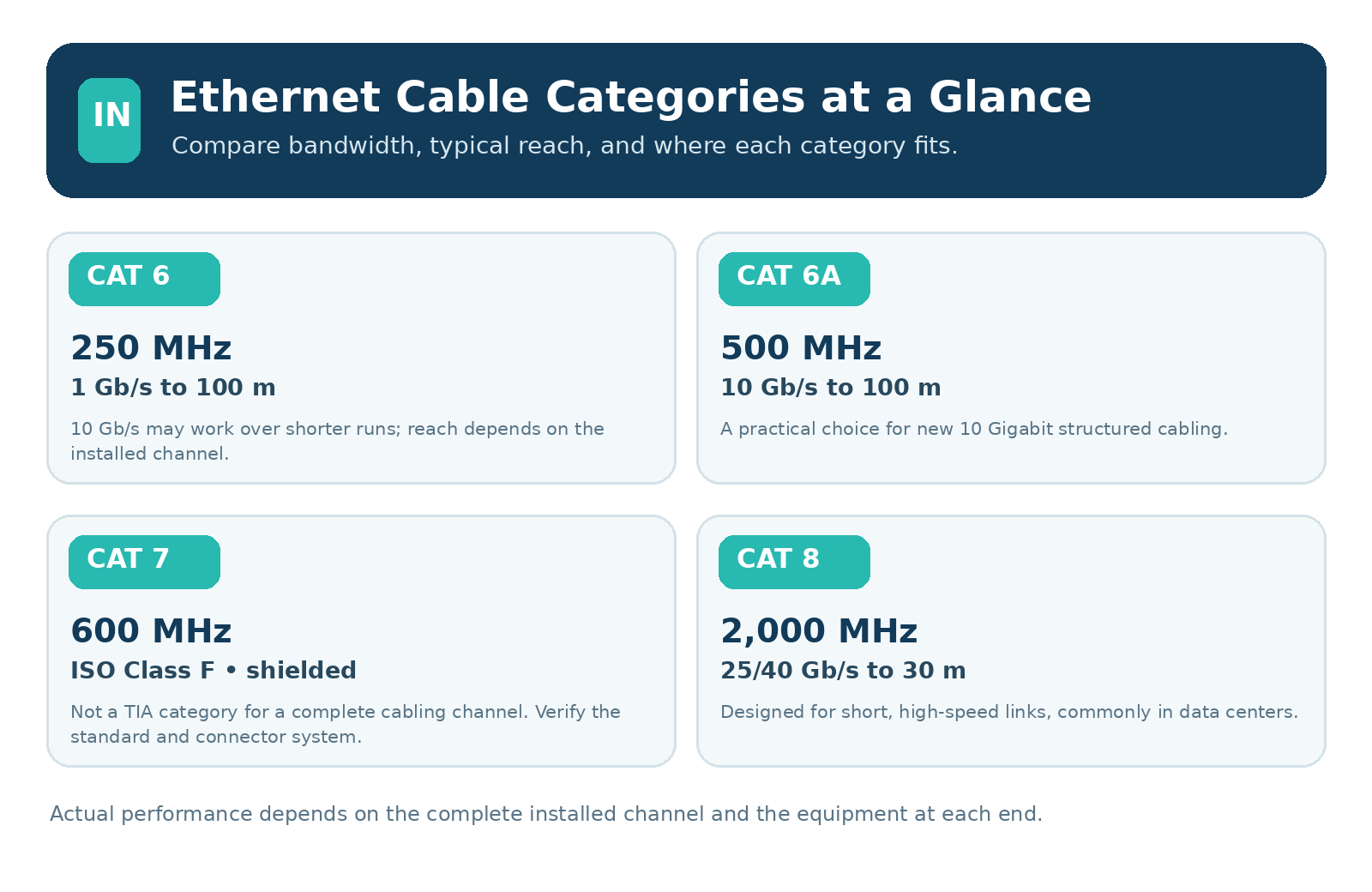
Cat6 cable is specified to 250 MHz and commonly supports Gigabit Ethernet over a channel up to 100 meters. It may support 10 Gigabit Ethernet over shorter distances, but the achievable length depends on the installed channel and interference from nearby cables. For a new 10 Gigabit link that must reach 100 meters, Cat6A is the more reliable choice.
Cat6A
Cat6A is specified to 500 MHz and supports 10 Gigabit Ethernet over a channel up to 100 meters when the complete cabling system is installed to specification. It is a practical choice for new installations that need 10 Gigabit performance, including longer office, workshop, or equipment-room runs.
Cat7
Cat7 is associated with the ISO/IEC Class F cabling system and is specified to 600 MHz. It uses shielded cabling. Cat7 is not a TIA-recognized category for a complete cabling channel, so check the applicable standard and the connector system rather than relying on a cable marked “Cat7.” Products using an RJ45-style plug may not provide a standards-compliant Class F channel.
Cat8
Cat8 is specified to 2,000 MHz and is designed for short, high-speed copper links, especially in data centers. IEEE 802.3bq defines 25GBASE-T and 40GBASE-T operation over balanced twisted-pair cabling for distances up to 30 meters. Cat8 requires compatible cabling components and equipment at both ends.
Which one should you choose?
• For many Gigabit Ethernet connections, Cat6 is suitable when the installed channel meets requirements.
• For a new 10 Gigabit connection that may run up to 100 meters, choose a complete Cat6A cabling system.
• For a specialized shielded installation, confirm the required ISO or TIA standard, connector type, and grounding method before selecting Cat7-marked products.
• For short 25 or 40 Gigabit copper links in a data center, Cat8 may be appropriate if the equipment supports those link speeds.
Check the whole channel
The cable is only one part of the connection. Patch cords, jacks, patch panels, terminations, and network ports all need to support the application. Poor installation or incompatible components can reduce performance even when the cable jacket has a high category rating. For shielded cabling, follow the equipment and cabling-system instructions for bonding and grounding.
Technical references
• Panduit: Category 7 and 7A/Class F and FA Cabling Concerns
• Fluke Networks: Overview Category 8 Cable Testing
• IEEE 802.3bq-2016: 25GBASE-T and 40GBASE-T
• TIA: TSB-155-A Guidelines for Installed Category 6 Cabling